Random Picker Wheel
Add Your Choices
Wheel Items
Previous Winners
🎉 Winner! 🎉













Random Picker Wheel by FlickTool – Free Spin the Wheel Random Name Picker Online
Ever tried picking something “randomly” from a list and your brain just keeps landing on the same option? Or you convince yourself you’re being totally fair but somehow always choose what you secretly wanted anyway. Turns out humans are absolutely terrible at true randomness.
FlickTool’s Random Picker Wheel solves this by actually being random. Type your choices, hit spin, watch the wheel rotate with satisfying momentum, and get a genuinely unbiased result you didn’t subconsciously manipulate. No more mental gymnastics pretending you were “totally fair” during selection.
The spinning wheel format transforms boring decision-making into something people actually want to watch. Works great for classroom activities where students need visual proof, team meetings requiring transparent decisions, live stream giveaways needing audience trust, or just making “who does dishes tonight?” feel less like a fight.
Everything happens in your browser without downloads, accounts, or subscriptions. Add items individually or import entire lists from files. Spin as many times as needed. Winners history tracks every result so you’ve got proof of selections.
How to Use the Random Picker Wheel
Setup takes about two minutes even with huge lists.
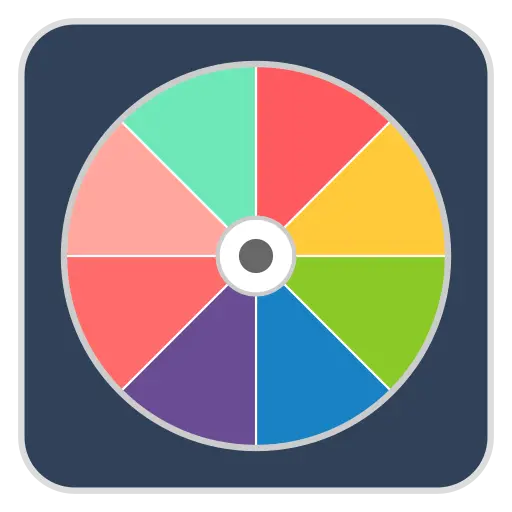
Add your items to the wheel. Type each choice in the input box and click Add. Each entry becomes a colored segment on the wheel automatically. Restaurant options for dinner? Type them. Student names for classroom? Add those. Chore assignments nobody wants? Throw them on the wheel.
Got a long list? Skip manual typing and use the import button to upload a text or JSON file instead. Way faster when dealing with 30+ names or options.
Review what you added. All items show up in a list next to the wheel. Spot a typo or duplicate? Remove individual entries or hit reset to clear everything. The wheel graphic updates in real-time as you add or delete stuff.
Spin the wheel and watch it go. Big spin button sits in the center. Click it and the wheel starts rotating with realistic momentum that gradually slows down until the pointer lands on one segment. Visual feedback makes selection feel more legitimate than just seeing text pop up.
Check the winner. Popup appears showing the selected item with confetti animation. Result automatically saves to winners history creating a record you can reference. Close the popup and either spin again or call it done.
Need multiple winners from the same list? Keep spinning – all previous results stay visible in the history section.
Why Visual Spinning Builds Trust
Just showing random text on screen feels suspicious. People naturally question it. “Did you actually randomize that or just pick whoever you wanted?” becomes the immediate skeptical response.
The spinning wheel provides visible proof the selection was fair. Everyone watches the wheel rotate. Everyone sees it gradually slow down. Everyone observes exactly where the pointer lands. This transparent process builds trust way better than claiming “the computer chose randomly”.
In classrooms, students accept results much more readily when they watch the wheel spin versus teacher announcing “the system picked Tommy”. Kids inherently trust what they can see happening.
For live giveaways, participants watching streams want visual confirmation of random selection. Spinning wheel broadcast on screen proves you’re not just claiming someone won. Real randomness happening in real-time that everyone witnesses.
During team meetings, visual wheel makes unpopular task assignment feel fairer. Nobody volunteers for the terrible assignment but watching a random wheel decide removes the “why is it always me?” complaints.
The spinning animation creates genuine anticipation. Transforms mundane decision-making into something entertaining. Turns “who’s cleaning the bathroom?” from awkward silence into an actual fun moment.
Best Uses for Random Picker Wheel
Tool handles tons of situations where random selection matters.
Classroom activities:
- Randomly calling on students for answers – Ensures quieter students get opportunities instead of the same eager kids dominating
- Picking presentation order – Removes the advantage of going last after seeing everyone else
- Assigning group project roles – Distributes desirable and undesirable roles fairly without favoritism
- Selecting game participants – Chooses who plays first or who’s on which team without arguments
- Choosing daily helpers or line leaders – Rotates classroom responsibilities so everyone gets turns
Teachers love this because it’s visibly fair and students genuinely can’t argue with what the wheel chooses.
Team and workplace decisions:
- Assigning tasks nobody volunteers for – Fairly distributes awful jobs everyone tries avoiding like meeting notes or cleanup duty
- Picking meeting facilitators – Rotates who runs meetings instead of same person always doing it
- Deciding team lunch locations – Settles the endless “where should we eat?” debate without hurt feelings
- Choosing presentation order – Determines who presents first at conferences or team meetings
- Selecting participants for activities – Picks who attends limited-capacity events or special opportunities
Removes the awkward “someone has to do this” standoff where everyone stares at each other waiting for a volunteer.
Giveaways and contests:
- Selecting raffle winners – Chooses prize recipients from ticket numbers or participant names transparently
- Choosing social media contest winners – Picks winners from entries, comments, or submissions fairly
- Picking prize recipients during streams – Selects giveaway winners live on Twitch, YouTube, or other platforms
- Random draws for event tickets – Distributes limited tickets or passes when demand exceeds availability
Visual spinning provides transparency that viewers and participants actually trust instead of suspecting favoritism.
Games and entertainment:
- Truth or dare selection – Randomly picks who goes next or what challenge they face
- Deciding player turns – Determines turn order in board games or multiplayer activities
- Random challenge picker – Selects what challenge or activity the group attempts next
- Mini-game choices – Picks which party game everyone plays from available options, adding surprise element
- Party activity selection – Chooses between multiple entertainment options when the group can’t decide
Makes game night more engaging by adding excitement and anticipation to simple selections.
Personal decisions:
- What to eat for dinner – Settles the nightly debate when you’re hungry but can’t decide between options
- Which movie to watch – Picks from your watchlist when everything sounds equally good or bad
- Where to go this weekend – Chooses activity or destination when planning feels overwhelming
- What to do tonight – Selects from possible activities when you want to do something but can’t commit
- Which task to tackle first – Picks your starting point when multiple tasks feel equally urgent or unpleasant
Eliminates decision paralysis that happens when all choices seem equally appealing and your brain just freezes.
Import and Export Features
Manually typing 50 names gets old real fast. Import function lets you load entire lists from text or JSON files.
Create a simple text file with one item per line. Upload it to the wheel and everything populates instantly. Saves massive time versus typing each entry individually.
Export saves your current wheel setup as a downloadable file. Use the exact same list again next week without rebuilding it. Share your wheel configuration with coworkers or friends who need identical setup. They import your file and get the wheel ready to go.
Perfect for recurring uses like weekly team meetings, regular classroom activities, or monthly game nights. Set it up once, export it, and reuse forever.
Winners History Tracking
Previous winners section records every single spin result during your session. Scroll through seeing who got picked and exactly when it happened.
This tracking creates accountability nobody can dispute. Someone complains “I always get picked for trash duty!” – pull up the history proving them wrong. Or maybe proving them right, which means probability genuinely hates them.
For contests and giveaways, history provides a record you can screenshot or reference later. Participants can verify their names weren’t selected if they’re suspicious. Winners can confirm they actually won.
History stays active during your entire session but clears when you close the browser. Fresh slate next time without old data cluttering things.
Other Random Tools for Different Needs
Random Picker Wheel excels at visual, engaging selection. But sometimes different situations need other approaches.
For simpler text-based decisions without spinning animation, FlickTool’s Easy Decision Maker offers straightforward random choice. No wheel graphics, no spinning effects – just clean random selection from your list. Better when visual theatrics feel unnecessary.
For advanced randomization with numbers and specific ranges, FlickTool’s RandomizerX provides structured random generation. Generate random numbers within exact ranges, do repeated draws with elimination, create number sequences. More technical and utility-focused.
These three tools together cover the full spectrum of random selection needs. Visual and entertaining versus simple and direct versus advanced and mathematical.
Browser-Based Convenience
All processing happens locally on your device. Nothing uploads to servers. No waiting for network responses. Add items and the wheel updates instantly. Click spin and animation starts immediately.
Works equally smoothly on desktop computers, tablets, and smartphones. Responsive interface automatically adapts to whatever screen size you’re using. Spin a wheel during Zoom meeting on your laptop or at a party using your phone.
Zero installation required. Zero account creation. Zero subscription fees. Just open the page and immediately start using it.
Items you add persist during your current session but don’t save permanently unless you export them. Refresh the page and you start completely fresh.
Why Actual Randomness Matters
Human attempts at randomness are embarrassingly bad. We unconsciously lean toward certain options based on recent thoughts or biases we don’t even notice. Try picking “randomly” between five choices in your head – you’ll favor whatever you’re currently thinking about.
The wheel uses genuine randomization algorithms ensuring every single option has mathematically equal chance. No bias, no patterns, no subconscious preferences. Pure mathematics doesn’t play favorites.
This fairness genuinely matters for teachers calling on students, team task assignment, contest winner selection, and group decisions where dominant personalities usually sway choices. Visual spinning makes that mathematical fairness obvious and builds trust everyone accepts.
Frequently Asked Questions
Q1. Is the selection truly random?
Yeah. Uses actual randomization algorithm ensuring fair unbiased selection. Every item has equal probability.
Q2. Can I see previous winners?
Yes. Winners history section shows all results from your current session. Scroll through past selections.
Q3. Can I import large lists at once?
Yep. Import items using text or JSON files instead of typing manually. Way faster for lists with dozens of entries.
Q4. Does this work on mobile devices?
Yes. Interface is fully responsive working smoothly on desktop, tablet, and mobile browsers.
Q5. Can I save my wheel for later use?
Export your wheel configuration as a file then import it next session. Reuse identical setup repeatedly.
Q6. What happens to my data?
Everything runs locally in your browser. Items and results stay in current session only. Close browser and it’s all gone.
FlickTool’s Random Picker Wheel makes random selection visual, fair, and engaging through spinning animation, transparent results, comprehensive winners tracking, and browser-based convenience perfect for classrooms, teams, contests, games, and everyday decisions.